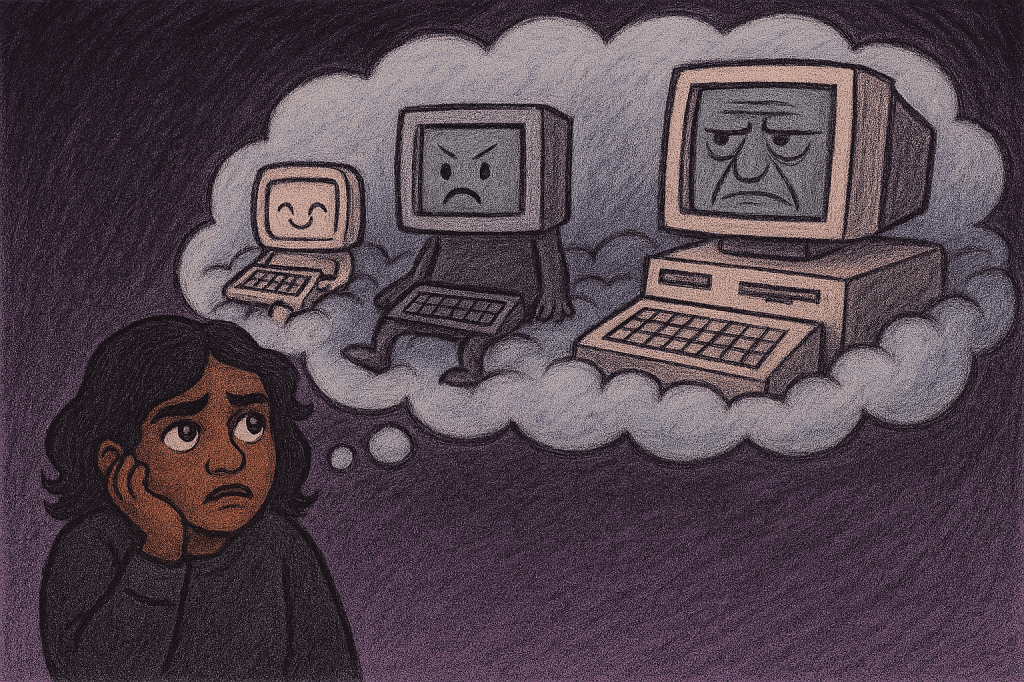
I created a Microsoft Azure1 account to see how much I could learn in one month before the free credits expire. Following best practices, I set up a separate Azure admin account after the directory tenant was created — and that single step was the epiphany I needed to understand …EVERYTHING!
The moment I signed in, my Azure admin identity hijacked Edge and every Microsoft‑connected app on my personal laptop. Without a VPN or any separation, the admin identity simply took over. Creating a dedicated work profile in Edge fixed it, but it also revealed the bigger truth: all the support calls I’ve ever taken that wasn’t about hardware was really about identity bleed.
Now that Microsoft has fully embraced identity as the new perimeter, tech issues aren’t “end‑user error,” no matter how smug IT guys like to act. The devices and the accounts are doing exactly what they were designed to do. The chaos isn’t a mistake — it’s the architecture. And to understand why everything behaves this way, you have to understand how modern computing is actually structured. Let’s go old school and use the stack to explain:
What “Stack” Really Means (Easy Version)
A stack is just a fancy tech word for “layers of stuff piled on top of each other, where each layer depends on the one below it.”
In the early days of networking, you had physical stacks:
servers for storage, servers for email, servers for authentication — each one doing a different job, each one sitting on a shelf like a little metal brick with a purpose. A server is really a router which is really just a computer set up to for specific tasks on a network.

Modern computing kept the form but now the stacks are both logical and physical.
Now the “stack” is:
- a layer for hardware
- a layer for the operating system
- a layer for apps
- a layer for identity
- a layer for tokens
- a layer for cloud policy
- a layer for data
Each layer sits on top of the previous one, and each layer only works because the layer underneath is doing its job. ms
So when we say “identity stack,” we’re just describing the layers of identity‑related systems — from the hardware all the way up to the cloud — that work together to decide who you are and what you’re allowed to touch.
The New Identity Stack in the Cloud EraThe New Identity Stack in the Cloud Era
A narrative breakdown of how identity, apps, and cloud policy actually function in modern enterprise environments — written in a clean, editable format.
1. Hardware Layer — The Old Foundation
Physical devices (laptops, phones, tablets) used to define trust. In the cloud era, hardware is simply a shell: a battery, a CPU, a screen. It no longer determines identity, access, or data boundaries. It is the least authoritative layer.
2. Operating System Layer — The Substrate
Windows, macOS, iOS, and Android now act as hosts rather than gatekeepers. They manage sandboxes, permissions, and app execution, but they no longer decide who the user is or what they can access. The OS enforces rules handed down from the cloud.
3. App Container Layer — The Real “Device”
Each app functions as its own micro‐device with its own identity, token store, compliance state, and data boundary. Examples include Outlook, Teams, OneDrive, Edge (work profile), Edge (personal profile), Chrome (Google identity), and Authenticator.
A single physical device may contain multiple app containers, each with different compliance states. This is why the same phone or laptop can be compliant in one app and blocked in another.
4. Identity Broker Layer — The Switchboard
Identity brokers such as WAM (Web Account Manager), MSAL (Microsoft Authentication Library), Edge’s identity engine, and Authenticator mediate between apps and the cloud. They issue, refresh, revoke, and route tokens.
Identity confusion often originates here, especially when personal and work identities are mixed across browsers and apps.
5. Token Layer — The Real Currency
Tokens (PRT, access tokens, refresh tokens, ID tokens, session cookies, MAM compliance tokens) define identity and access. Clean tokens produce a stable environment; contaminated or conflicting tokens cause loops, errors, and access failures.
Tokens, not usernames or devices, determine who the user is in the cloud.
6. Cloud Policy Layer — The Actual Perimeter
Entra ID, Intune, Conditional Access, and MAM policies define what identities, apps, and devices are allowed to do. The cloud is now the security perimeter, not the network or the hardware.
This layer governs:
- App behavior
- Identity permissions
- Compliance requirements
- Data access conditions
7. Data Boundary Layer — The Payload
SharePoint, OneDrive, Exchange, Teams, Azure resources, and SaaS applications represent the data layer. Everything below exists to protect this layer.
The cloud evaluates one thing above all: which identity is requesting the data.
Key Insight
Enterprise data safety is no longer determined by the physical device. It is determined by the identity context inside each app container. The app layer now sits above the hardware layer in practical importance.
This explains why identity separation in Edge is critical, why Chrome-only separation is insufficient, and why modern enterprise issues often stem from identity bleed rather than hardware or OS problems.
Middle-Aged Dilettante Synthesis: The Identity Stack (Side‑by‑Side Version)Middle-Aged Dilettante Synthesis: The Identity Stack (Side‑by‑Side Version)
A playful, narrative‑driven comparison of the official cloud identity model versus the real way it behaves — the way Middle-Aged Dilettante sees it.
1. Hardware Layer
Official Version
- The physical device is the foundation of trust.
- Security posture begins with the laptop or phone.
- Device compliance is tied to hardware state.
Middle-Aged Dilettante Version
- It’s a battery with a keyboard.
- A pretty rock.
- The least important part of the whole system.
- The cloud does not care about your aluminum slab.
2. Operating System Layer
Official Version
- The OS enforces policy, manages identity, and secures the environment.
- Windows, macOS, iOS, Android are critical trust anchors.
Middle-Aged Dilettante Version
- The OS is a hall monitor with a clipboard.
- It enforces rules someone else wrote.
- It’s not in charge — it’s just trying to keep the peace.
- Identity lives above its pay grade now.
3. App Container Layer
Official Version
- Apps operate within OS‑managed sandboxes.
- Each app follows enterprise policy.
- Data access is controlled through app permissions.
Middle-Aged Dilettante Version
- Each app is its own tiny device.
- Outlook is a device.
- Teams is a device.
- Edge (work profile) is a device.
- Edge (personal profile) is a different device.
- Chrome is a Google‑flavored device.
- Your phone is basically 20 devices in a trench coat.
4. Identity Broker Layer
Official Version
- WAM, MSAL, and Authenticator manage tokens and identity flows.
- They ensure secure authentication and session continuity.
Middle-Aged Dilettante Version
- The switchboard operator.
- The traffic cop.
- The overworked receptionist who keeps getting conflicting instructions.
- This is where chaos begins when you mix personal + work identities.
5. Token Layer
Official Version
- Tokens represent authenticated identity and authorization.
- PRT, access tokens, refresh tokens, and ID tokens govern access.
Middle-Aged Dilettante Version
- Tokens are the real passport.
- If the tokens are clean, life is good.
- If the tokens are contaminated, the universe collapses.
- Your laptop isn’t broken — your tokens are having an identity crisis.
6. Cloud Policy Layer
Official Version
- Conditional Access, Intune, and MAM enforce compliance.
- Policies determine what identities, devices, and apps can do.
Middle-Aged Dilettante Version
- The cloud is the new perimeter.
- The cloud is the boss.
- The cloud does not care about your feelings.
- The cloud only cares about whether your identity is behaving.
7. Data Boundary Layer
Official Version
- SharePoint, OneDrive, Exchange, Teams, and Azure resources hold the data.
- Access is granted based on identity and policy.
Middle-Aged Dilettante Version
- This is the treasure.
- Everything else is scaffolding.
- The only question the cloud asks is: “Who are you right now?”
- Not: “What device are you on?”
The Core Middle-Aged Dilettante Insight
It’s not the device. It’s the identity context inside the app.
The app layer sits above the hardware layer now. The identity broker is the real battlefield. The tokens are the truth. The cloud is the perimeter.
And Edge — specifically the work profile — is the spine holding the whole thing together.
Stack Plus the Part No One Tells You
Yes a stack is just a set of layers piled on top of each other, where each layer depends on the one below it. But a stack isn’t just about layers. It’s also about who gets to speak first. The stack decides which processes matter more than others. Lower layers (like hardware and OS) support everything, but higher layers (like identity, tokens, and cloud policy) get the final say. So the stack isn’t just structure — it’s a pecking order. It tells the system, “This layer outranks that one,” which is why identity can override hardware, and why your apps can behave like they’re in charge. Here is the modern stack for Enterprise (Work or School) identities reordered with the most important at the top.
    │        DATA (The Treasure)    │
            │  SharePoint • OneDrive • Apps │
            └──────────────────────────────┘
                            ▲
                            │
            ┌──────────────────────────────┐
            │     CLOUD POLICY (The Boss)   │
            │  Entra ID • Intune • MAM      │
            │  “Who are you and what can    │
            │   you touch?”                 │
            └──────────────────────────────┘
                            ▲
                            │
            ┌──────────────────────────────┐
            │      TOKENS (The Passport)    │
            │  Access tokens • Refresh      │
            │  tokens • PRT                 │
            │  “Your identity in motion.”   │
            └──────────────────────────────┘
                            ▲
                            │
            ┌──────────────────────────────┐
            │  APP CONTAINERS (The Real     │
            │          Devices)             │
            │ Outlook • Teams • Edge        │
            │ Chrome • OneDrive • Auth      │
            │ Each app = its own device     │
            └──────────────────────────────┘
                            ▲
                            │
            ┌──────────────────────────────┐
            │     OPERATING SYSTEM (The     │
            │        Hall Monitor)          │
            │ Windows • macOS • iOS •       │
            │ Android                       │
            └──────────────────────────────┘
                            ▲
                            │
            ┌──────────────────────────────┐
            │   HARDWARE (The Pretty Rock)  │
            │  Laptop • Phone • Tablet      │
            └──────────────────────────────┘
The WebKit Problem (and Why the Graphic Looks Like That)
A simple, non‑technical explanation of why the identity stack graphic looks a little strange — and why apps seem to appear twice.
The Short Version
Your phone or laptop isn’t one device. It’s a purse full of mini‑devices pretending to be apps pretending to be browsers pretending to be secure. And WebKit is the little gremlin in the middle making everything more confusing than it needs to be.
Why the Stack Isn’t a Flow Chart
If you looked at the identity stack graphic and thought, “Why are apps on here twice?” — congratulations, you noticed the part most people miss.
It’s because:
- Apps are real apps (Outlook, Teams, OneDrive)
- But many apps are actually tiny browsers inside apps
- And on mobile, everything runs through WebKit (Apple’s browser engine)
If you
What WebKit Actually Does (in plain English)
WebKit is the invisible engine that runs almost every in‑app browser on your phone. Even when you think you’re “in an app,” you’re often inside a tiny WebKit window wearing the app’s clothes.
This means:
- Your identity gets handled twice
- Your tokens get stored twice
- Your sign‑ins get mixed twice
- Your work and personal worlds collide twice
It’s not you. It’s the architecture.
Why This Matters for Personal Devices
Companies love to say, “Don’t use your personal phone for work,” but then they don’t give you a work phone. And the issue isn’t the hardware — it’s the identity licensing that Apple and Google require the moment a work identity touches the device.
On a modern phone, your “personal identity” isn’t a single thing — it’s a bundle of tokens, refresh keys, app entitlements, and backup permissions. Apple and Google don’t care whether the identity belongs to you or your employer; they only care whether the token is valid and who issued it.
So when you sign into a work app on a personal device, the device suddenly has to juggle:
- your Apple ID
- your Google identity (if you use one)
- your employer’s Entra ID or Google Workspace identity
- the app-level identity inside Outlook, Teams, Drive, etc.
And because WebKit is the shared browser engine underneath everything, it mixes these identities at the token level. Not intentionally — just structurally. It’s like all the identities are drinking from the same punch bowl.
Once that happens, the device can’t reliably tell which identity is allowed to update what. So you get:
- expired tokens that never refresh
- backup pipelines that stall
- updates that can’t install
- MDM compliance checks that lie
- a device that behaves like it’s half-personal, half-enterprise, and fully confused
And here’s the twist:
The same thing can happen even if you never sign into work apps.
If your Google tokens expire, Apple still needs to authenticate something.
If Apple can’t authenticate, backups stall.
Identity trumps hardware, but data and backing it up trumps EVERYTHING.
- Microsoft Azure is a giant online toolbox run by Microsoft that lets people and companies build, store, and run their digital stuff without owning any servers.
Instead of buying hardware, you rent space and power in Microsoft’s global network of data centers. Azure provides everything—computing, storage, networking, databases, and security—so you can launch websites, apps, or AI projects from anywhere. It’s basically the “cloud” made practical: you log in, spin up what you need, and pay for what you use. ↩︎
 Live and let's learn
Leave a comment